
Role permissions overview
Event staff can have one of four roles, each with different permissions. Higher roles include everything the lower roles can do.
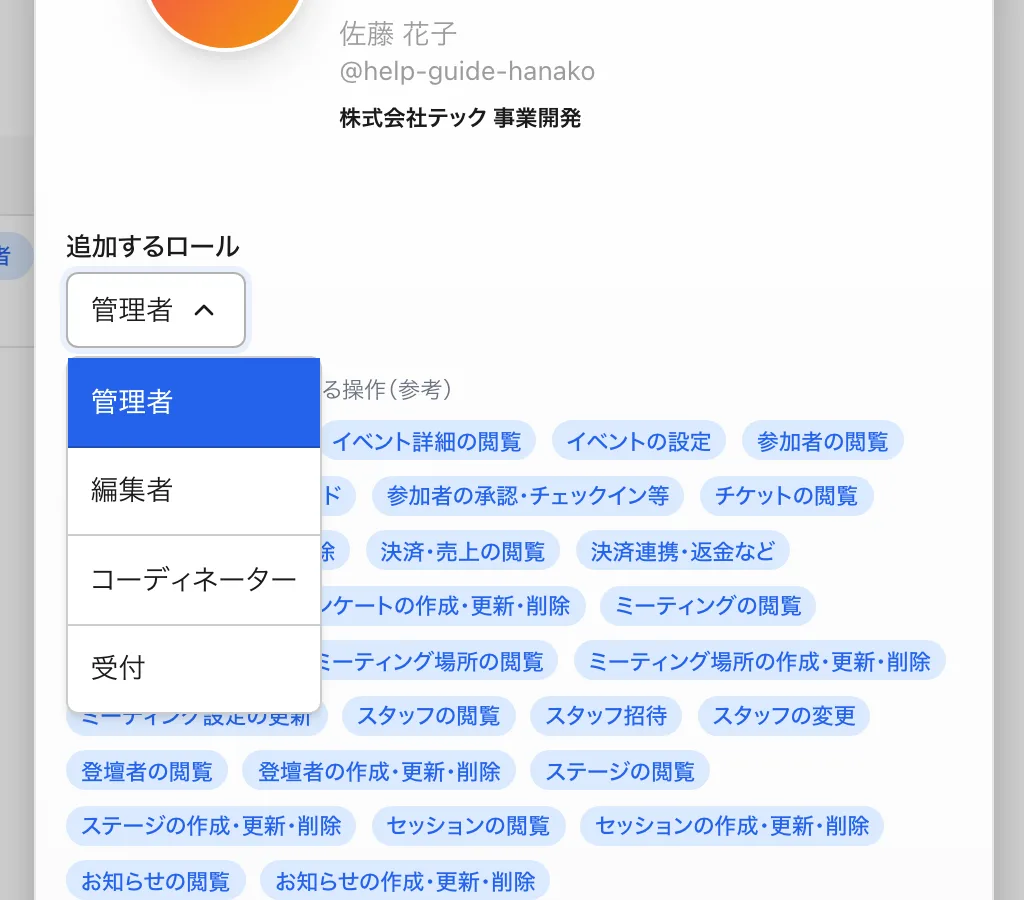
What each role does
| Role | Typical assignment | Main capabilities |
|---|---|---|
| RECEPTIONIST (Receptionist) | Day-of reception | View attendees and approve, decline, or check them in. View the dashboard, tickets, speakers, staff, and more |
| COORDINATOR (Coordinator) | Program and attendee relations | Everything a receptionist can do, plus editing speakers, stages, and sessions |
| EDITOR (Editor) | Content owner | Everything a coordinator can do, plus editing meetings, side events, announcements, and feedback, and downloading the attendee CSV. However, editors cannot edit event settings, tickets, payments, page design, or create and edit questions, and cannot view payment information |
| ADMIN (Admin) | Event lead | All operations. Only ADMIN can handle event settings, feature settings, ticket management, payments/refunds, and staff management |
Good to know
- Approving, declining, and checking in attendees can be done by every role, including RECEPTIONIST (Receptionist).
- Event settings, tickets, payments/refunds, staff management, page design, and creating or editing questions are ADMIN (Admin) only. Even EDITOR (Editor) cannot do these.
- Viewing survey responses is available to EDITOR (Editor) and above. Only creating and editing questions is ADMIN-only.
Designing your roles
- Limit ADMIN (Admin) to a small number of trusted people.
- Give external helpers a role with only the operations they need.