
Setting up an approval-based event
If you want to review participants before confirming their entry, set your event to approval-based.
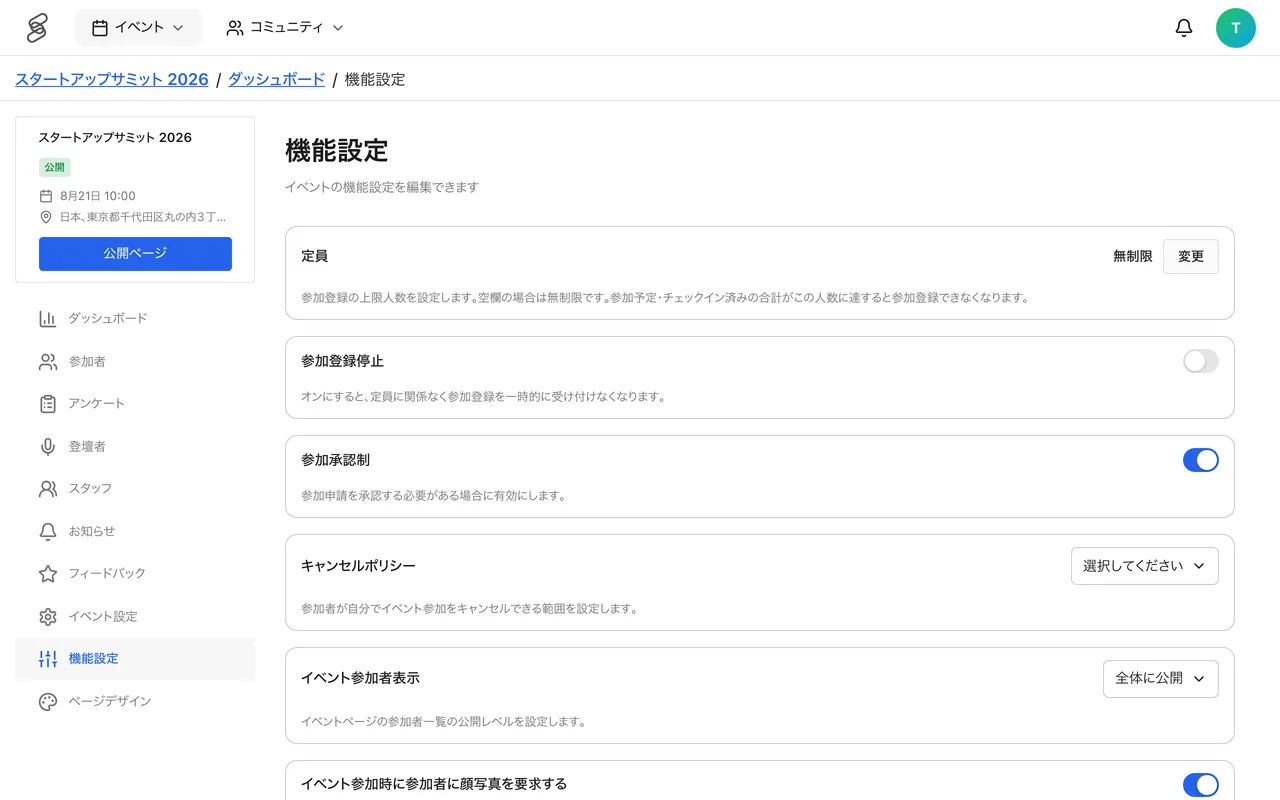
What changes with approval
- Registrants enter a "Pending" state and are not confirmed until you approve them.
- You can review each applicant's profile in the attendee management screen and choose to approve or decline.
Relationship with the ticket feature
When you use the ticket feature, you cannot turn on event-wide "Approval required". Instead, set approval per ticket (turn on "approval required" when creating a ticket). To turn on event-wide participation approval, you must turn off the ticket feature first.
When it fits
- Closed events limited to a specific audience
- Events where you want to balance the mix of participants
- Small-capacity events likely to receive many applications
Decide on approvals promptly so applicants are not kept waiting. See Approving entries for approval-based events for operational details.