
Setting up sessions and the timetable
For events with multiple programs, you can register sessions and publish a timetable.
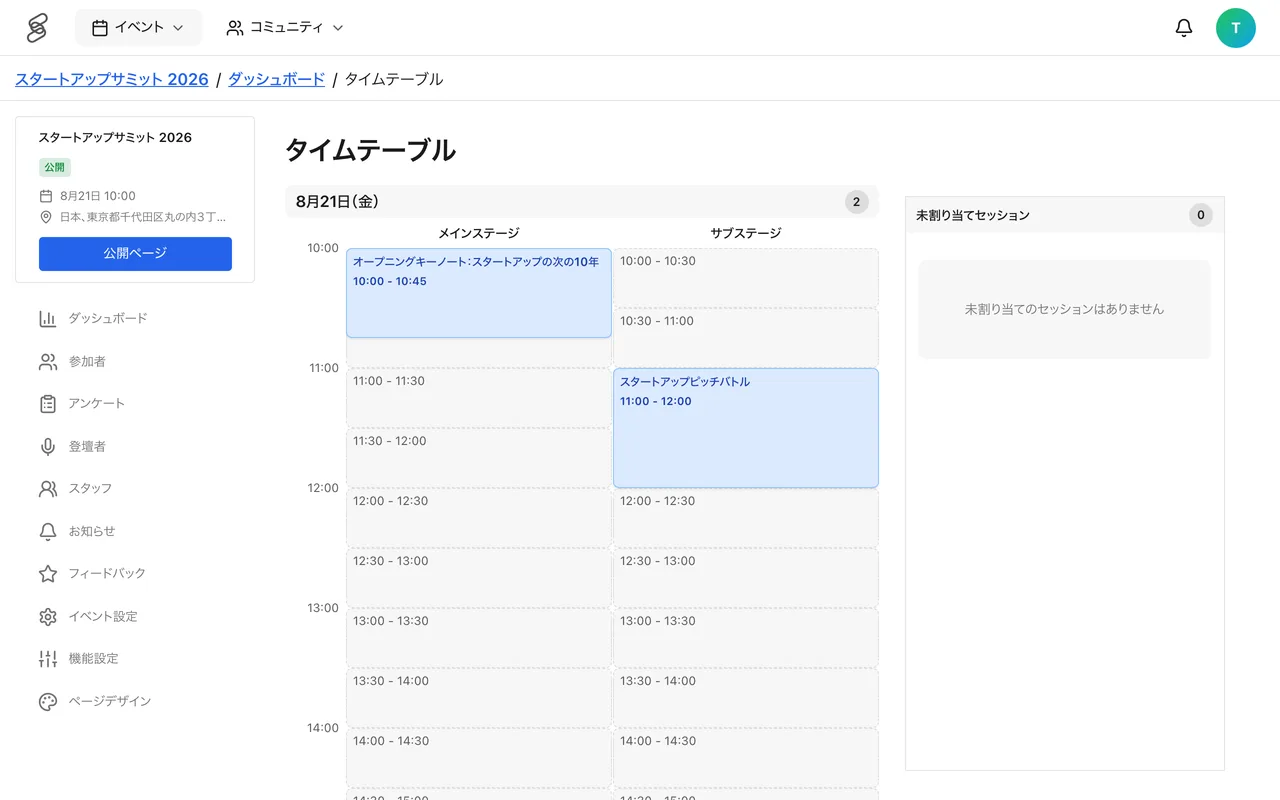
Enabling the timetable feature
The timetable is available for events with Conference Mode enabled. Conference Mode is an advanced feature (beta) for large-scale events and cannot be turned on by organizers themselves; contact 4S if you would like to use it. When enabled, a "Timetable" tab appears on both the event detail page and the management screen.
Registering stages and sessions
The "Timetable" section of the management screen has "Stages" and "Sessions" tabs.
- Register locations under the "Stages" tab. Multiple rooms within a venue can be registered as stages.
- Create a new session under the "Sessions" tab.
- Enter the session name, time, and summary, and set the location (stage).
- Assign speakers (see below).
- Set the session status to "Completed" to publish it on the timetable. "Draft" sessions are not published. Sessions that are called off can be set to "Cancelled".
About speakers
When assigning speakers to a session, you choose from the speakers you registered (published) for the event under the "Speakers" menu. For each session you can track each speaker's stage (considering, approached, confirmed, or declined). The speaker section on the event page also shows the speakers registered from this "Speakers" menu. Complete speaker profiles increase the credibility of your event, so ask speakers to fill out their profiles in advance.
Timetable display
The timetable appears on the event page once sessions, stages, and the event dates are all in place. Participants can browse the program by time and stage.