
Customizing your event page design
You can apply a custom style to your event page to match your event's brand. Set it up from "Page Design" in the management screen.
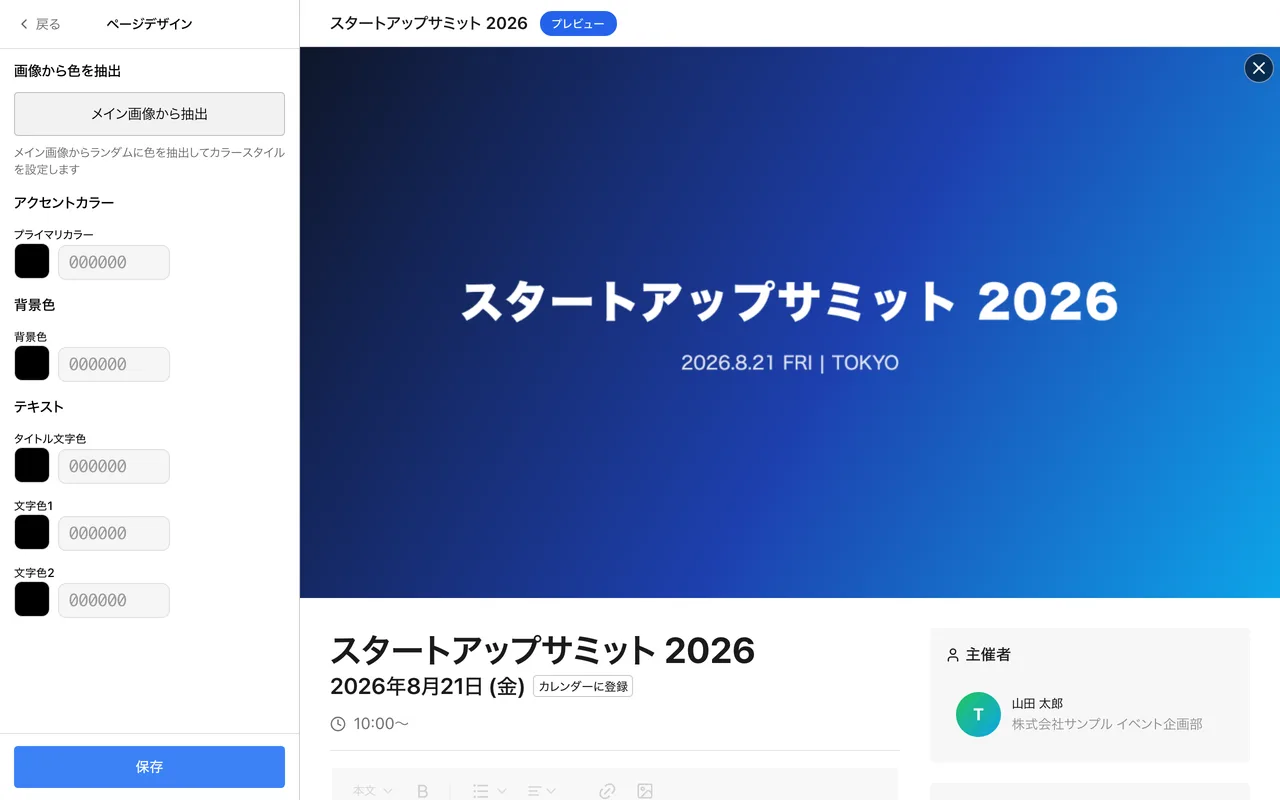
Colors you can set
- Primary Color — the accent color for buttons and links.
- Background Color — the color used for the page background.
- Title Text Color — the color for headings.
- Text Color 1 and Text Color 2 — the colors for body text.
Use "Extract from Main Image" to set the color style automatically from your main image (the button appears once a main image is set).
Main image
The main image is shown at the top of the page and on event cards. You can also set a separate listing and share image; when only one of the two is set, you are asked whether to use the same image for the other.
Design tips
- Check text contrast when picking colors. Colors that are too light make buttons and text hard to see.
- Preview the main image on both desktop and mobile. Keeping important text near the center prevents it from being cropped.