
How to create an account
Creating a 4S account is free and takes only a few minutes with an email address. No password is required, and you can sign in or create an account from the same screen.
Steps to register
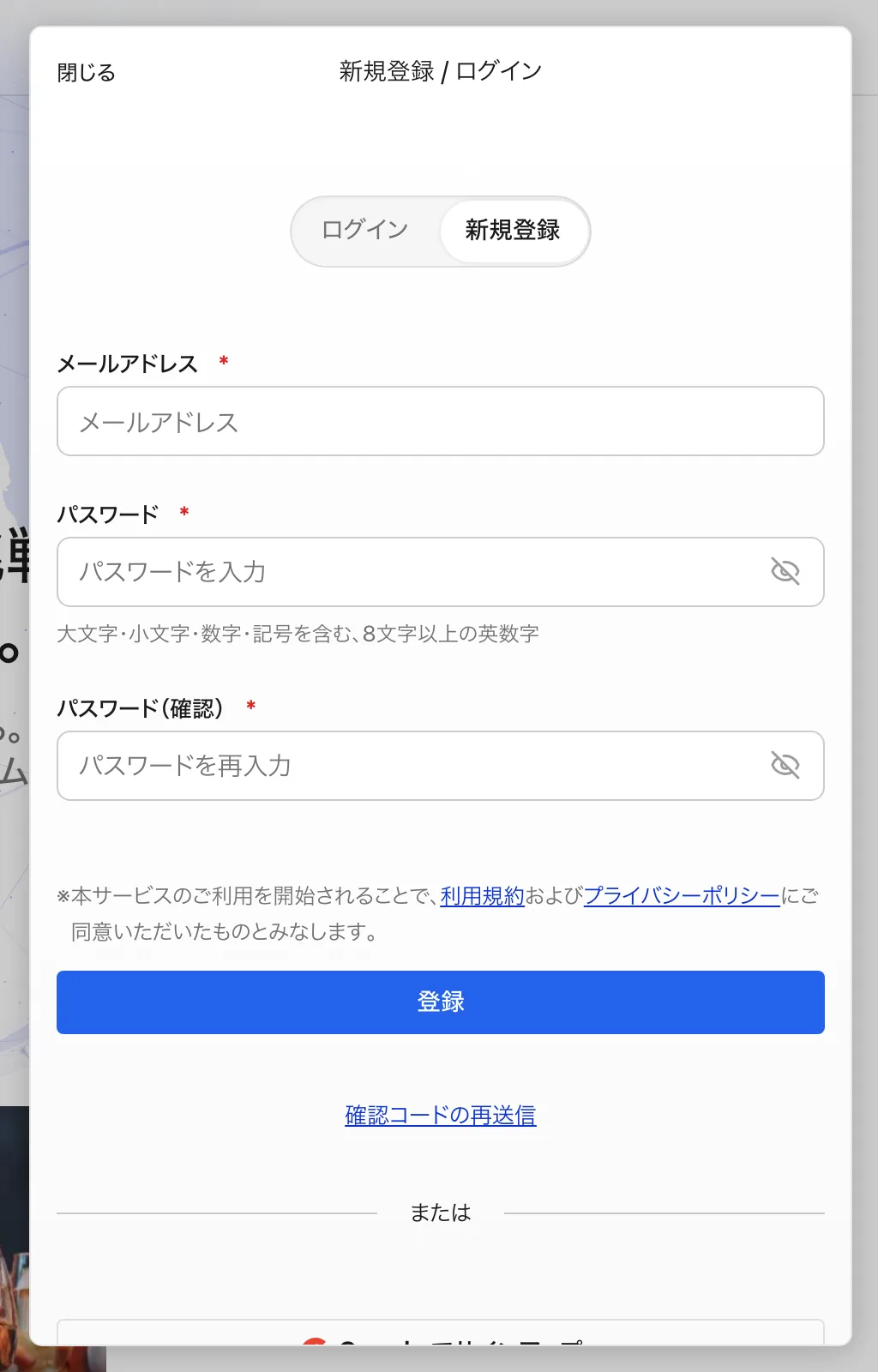
- Open "Sign Up / Login" at the top right.
- Enter your email address and press "Send verification code".
- Enter the 6-digit verification code sent to your email. You can also sign in by clicking the sign-in link in the email. If you do not have an account yet, one is created automatically once your sign-in is complete.
- On your first sign-in, the "Set up your profile" screen appears. Enter your first and last name in English and a username, then press "Save and continue" to finish. Setting a profile photo is optional.
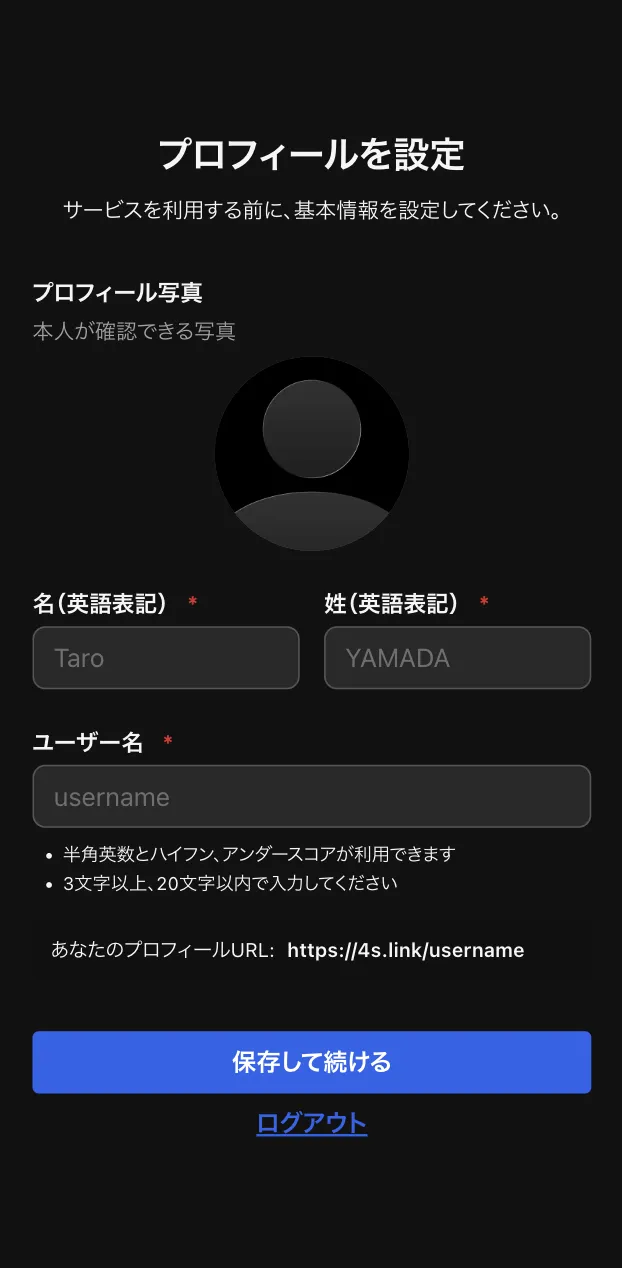
Your username becomes the URL of your profile page (4s.link/your-username). It can use letters, numbers, hyphens, and underscores, with 3 to 20 characters.
Signing in with a passkey or Google
Besides the verification code, you can sign in with a passkey or a Google account. Use "Login with Passkey" or "Sign in with Google" on the same screen.
If the verification email does not arrive
- Check your spam folder. Searching for the subject "Your 4S login code" makes it easier to find.
- Make sure the email address you entered is correct.
- If it still does not arrive after a few minutes, try "Resend verification code".
- The verification code is valid for 10 minutes. If it has expired, resend it and use the new code.
After registering, filling out your profile makes it easier to connect with others at events and in communities. See the article on editing your profile as well.