
Editing your profile
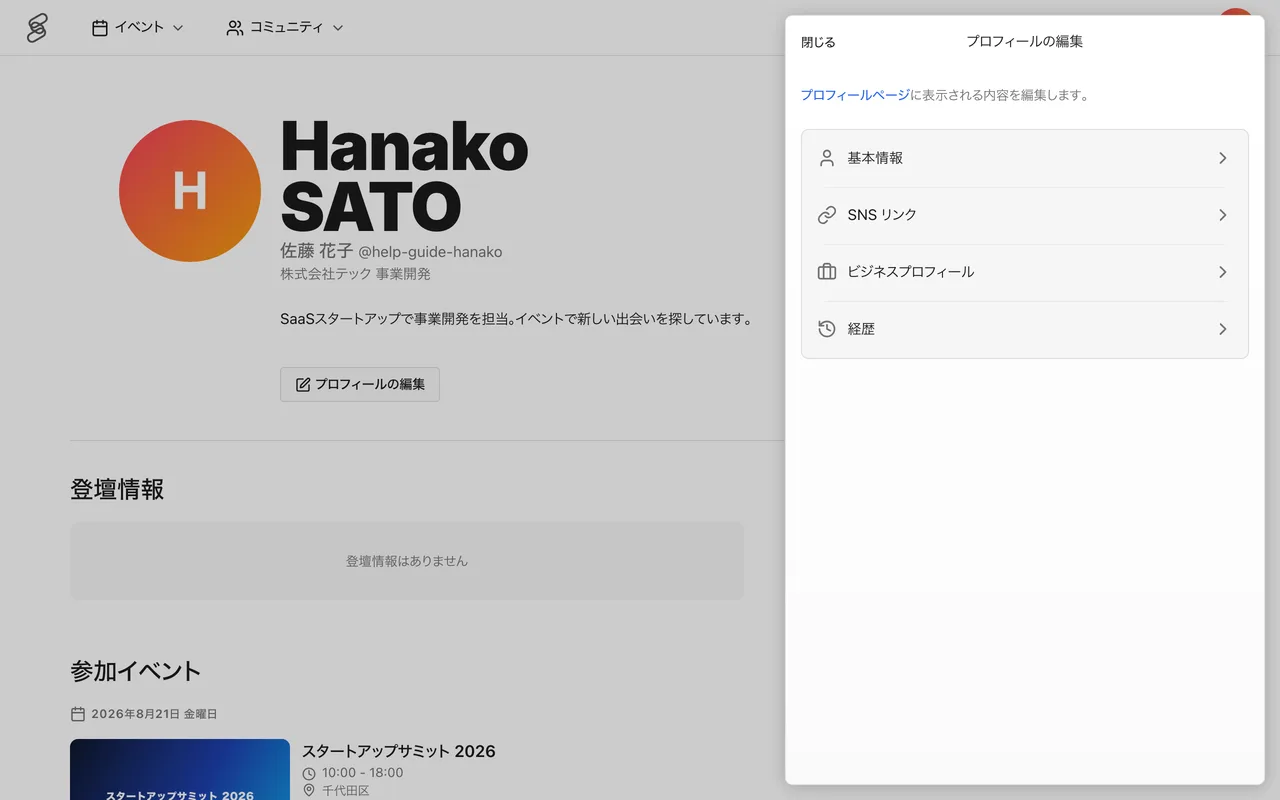
Your profile helps others get to know you at events and in communities. After signing in, open your "Profile Page" from your avatar and edit it with the "Edit profile" button.
On your first sign-in, the "Set up your profile" screen asks for your first and last name in English and a username. Setting a profile photo is optional. You can change your profile information, such as your name, later from "Edit profile". Your username is changed from "Change Username" under "Account Settings", and can be changed once every 2 weeks.
What you can set
- Basic info — name (in English and in your native language), profile photo, title, and bio. You can also set your date of birth, gender, and current region; these are never shown publicly and are used only for aggregate statistics at events
- Social links — links to X, Instagram, LinkedIn, GitHub, Facebook, WhatsApp, and YouTube
- Business profile — languages you can work in and what you can offer
- Career history — work, education, and affiliations. Registered organizations appear as your career history
Changing your username (profile URL)
Your profile page URL (username) can be changed from "Change Username" under "Account Settings". It can use letters, numbers, hyphens, and underscores, with 3 to 20 characters, and can be changed once every 2 weeks.
What you can do in Account Settings
From "Account Settings" you can also do the following.
- Change email — confirm the change with a verification code sent to your new email address.
- Passkey — register or remove the passkeys you use to sign in.
- Social account sign-in — manage the link with your Google account.
- Connected apps — review and disconnect external apps linked via "Sign in with 4S".
What appears on your profile page
Your profile page shows your career history, sessions you have spoken at, and events you have attended, making it easier for people you meet at events to find you.
If there is information you prefer not to show, you can remove it from each item's edit screen.