
Buying paid tickets
For paid events, you purchase a ticket when registering. Payments are processed by Stripe, and your card details are never stored on 4S servers.
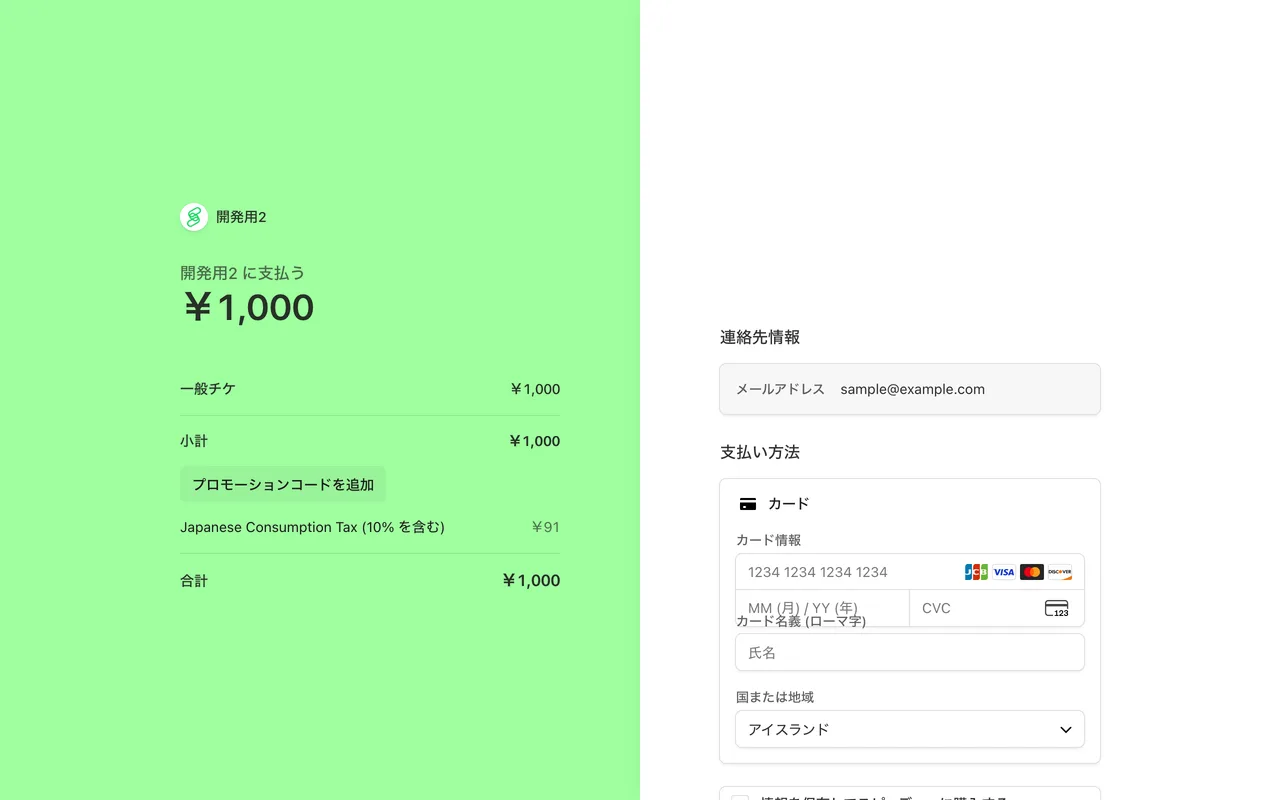
Steps to purchase
- Select the ticket you want on the event page.
- You are taken to the Stripe checkout page. Enter your payment details there.
- If you have a promotion code, enter it in the field on the checkout page to apply the discount. Note that the promotion code field is not shown for payments that use a referral (invitation code) discount.
- Review and confirm the payment. You will receive a purchase confirmation email.
The checkout page expires about one hour after it opens. For regular tickets, select the ticket again from the event page. For approval-based prepaid tickets, open the ticket under "Participated Events" and resume from "Complete purchase".
Registration after purchase
If you are not yet registered for the event and buy a single ticket, your registration is complete as soon as the payment goes through. There is no separate registration step afterwards.
In the following cases you still need to register separately. Open the ticket on the "Participated Events" page and complete the registration.
- You bought two or more tickets at once (each ticket is registered individually, including your own)
- You received a ticket transferred from someone else
- You bought an extra ticket for an event you are already registered for
A ticket shown as "Unused" on the "Participated Events" page has not been registered yet. It does not mean "not yet used on the day".
Only tickets that require organizer approval work differently: you purchase after your request is approved.
Checking purchased tickets
Purchased tickets can be found on the "Participated Events" page. On the day, check in with your My QR Code.
If the payment fails
- Check the card number, expiry date, and security code.
- Your card issuer may be blocking the charge. Try another card or contact your card issuer.