
Approving entries for approval-based events
For approval-based events, you decide on each application individually. Approving and declining can be done by staff of any role, including RECEPTIONIST (Receptionist).
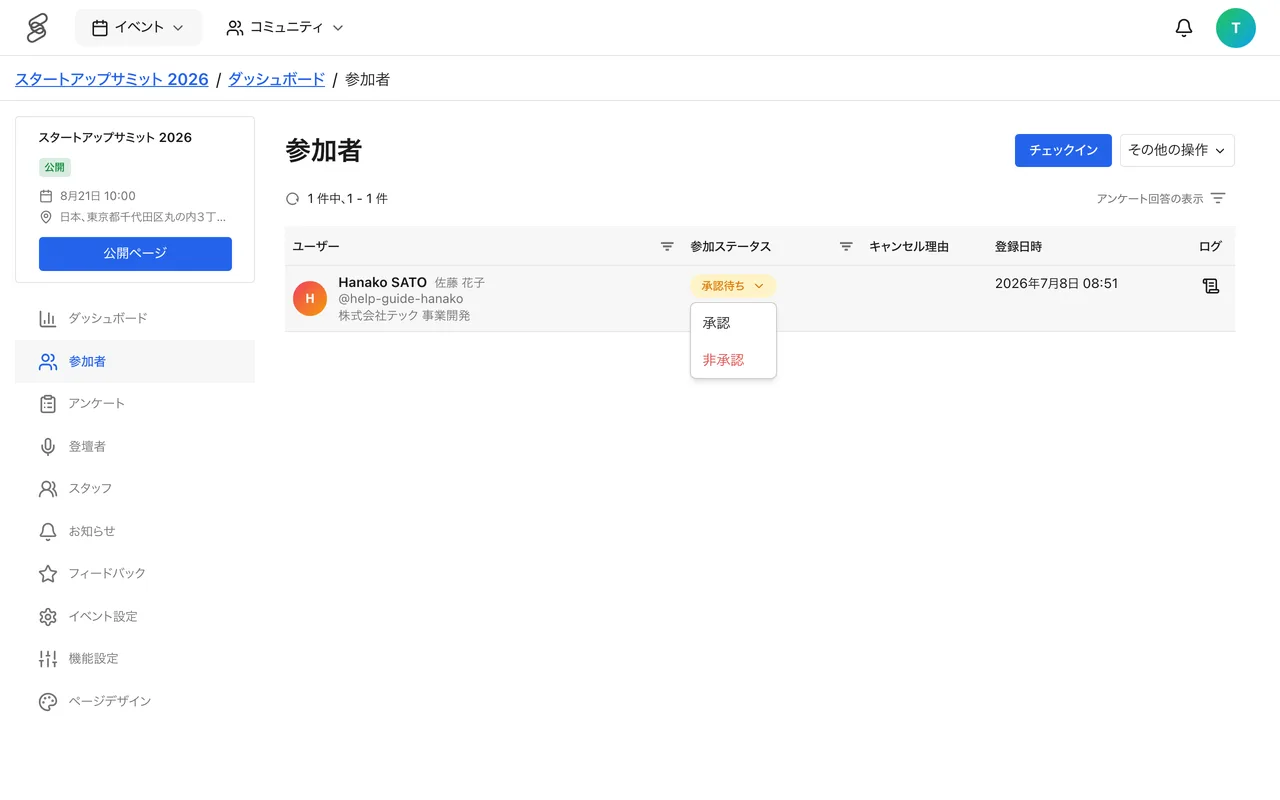
Steps to approve
- Show "Pending" attendees in the attendee management screen.
- Review the applicant's profile.
- Select "Approve" or "Reject". The applicant is notified of the result by email and in-app notification.
For prepaid tickets
For a prepaid, approval-required ticket, approving moves the participant to "Awaiting payment". Their entry is confirmed once they complete the purchase via the payment link.
Operational tips
- Align criteria within your team beforehand — inconsistent decisions erode participants' trust.
- Approve early — long waits prevent applicants from securing their schedule and lead to drop-off. Set a regular time to process approvals.