
The attendee list and entry statuses
You can check attendee status in "Participants" within the event management screen.
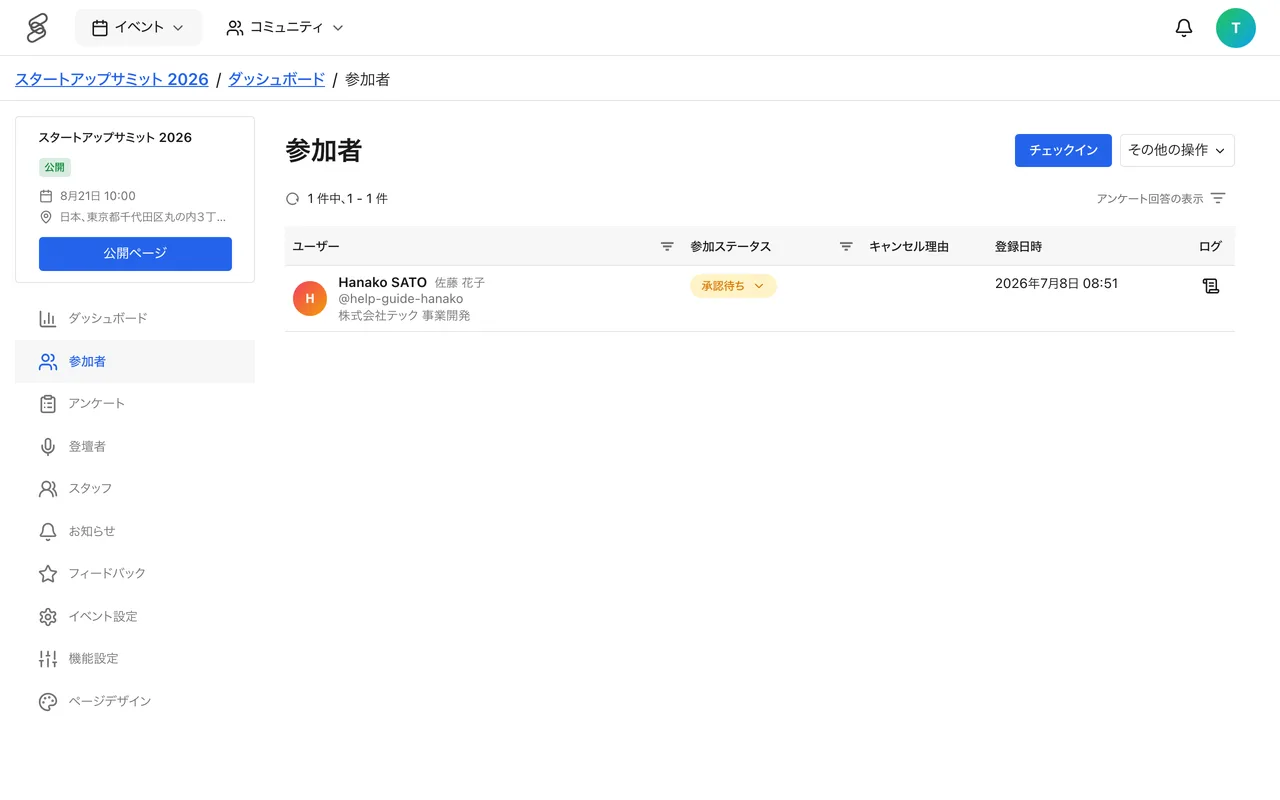
Understanding entry statuses
- Unused (UNUSED) — the ticket is acquired but not yet used for registration.
- Pending (PENDING) — awaiting organizer approval at an approval-based event.
- Awaiting payment (AWAITING_PAYMENT) — for a prepaid, approval-required ticket, the state between approval and completing payment.
- Confirmed (CONFIRMED) — participation is confirmed.
- Not Approved (REJECTED) — the organizer declined the entry.
- Checked In (CHECKED_IN) — passed reception on the day.
- Canceled (CANCELED) — the entry was canceled. Besides the participant canceling, this also happens when staff change the status or when a full refund completes.
Downloading the attendee list
You can download the attendee list as a CSV. It includes names, email addresses, tickets, amounts paid, entry status, and registration dates, and can also include survey answers. Downloading requires the EDITOR or ADMIN role.
Tips
- Filtering by status helps you catch unprocessed approvals and track attendance rates on the day.
- The checked-in count does not update automatically. Reload the screen to see the latest number.