
Canceling your registration
If you can no longer attend, open the event from the "Participated Events" page and cancel your registration.
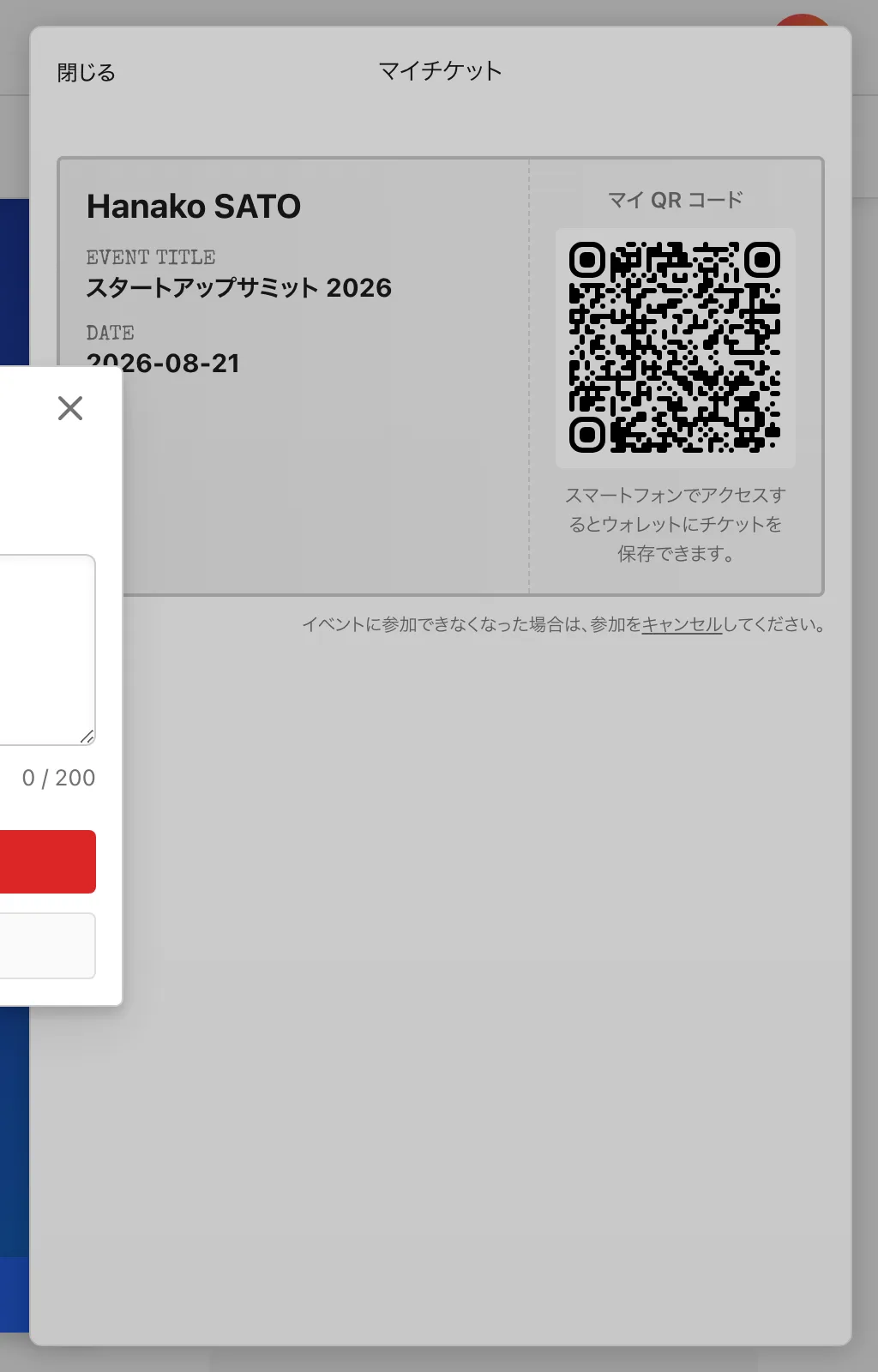
Steps to cancel
- Open the event from "Participated Events".
- Select "Cancel" from your registration details.
- Enter a reason (optional) and press "Cancel Registration". Confirm on the confirmation screen; the change is reflected in your registered events list.
Whether you can cancel by yourself depends on each event's cancellation policy. There are three policy options: cancellation disabled, allowed only for free entries, or allowed only for free and on-site payment entries. If "Cancel" is not shown, contact the organizer.
Canceling prepaid (credit card) tickets
Tickets paid in advance by credit card cannot be canceled by participants themselves. If you wish to cancel or request a refund, contact the organizer listed on the event page. See Refunds and receipts for details. If transfers are allowed for your ticket, transferring it to someone who can attend is another option. Note that a transfer cannot be undone.
Notes
- To rejoin after canceling, you need to register again. You cannot register if the event is full.
- If the event is canceled by the organizer, follow the organizer's instructions.